FLEXIBLE PROJECT MANAGEMENT The workspace your team shapes.
The workspace your team shapes.
The context your AI needs.
Plan projects, track tasks, and build workflows around your team. Give your AI tools access to the same work, with the permissions you choose.
Free for up to 5 people Codexum & Roadmarq included
Used by teams at

 Voxor
Voxor  Home of Agents
  WellFedCats
 FOR THE WAY YOUR TEAM WORKS Different teams.
Different teams.
One shared workspace.
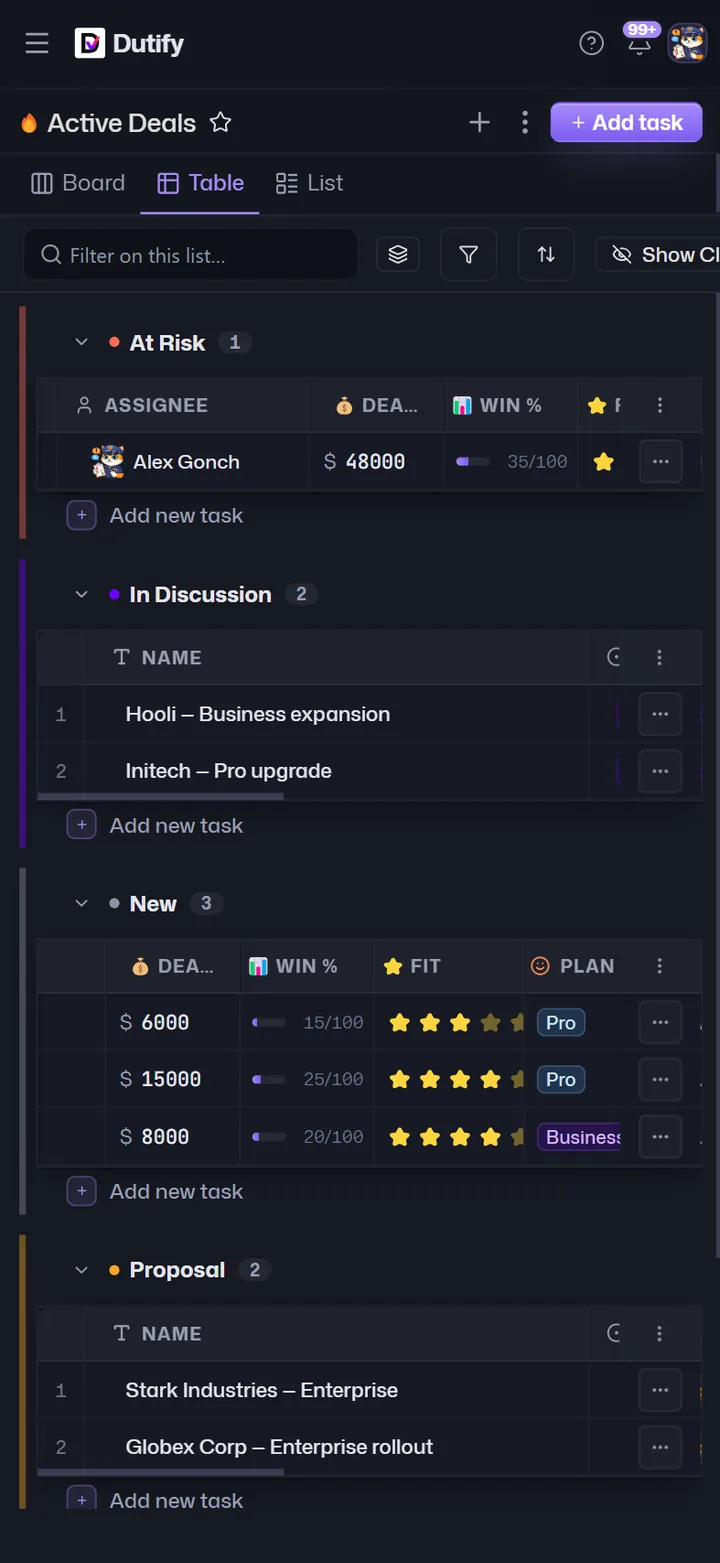
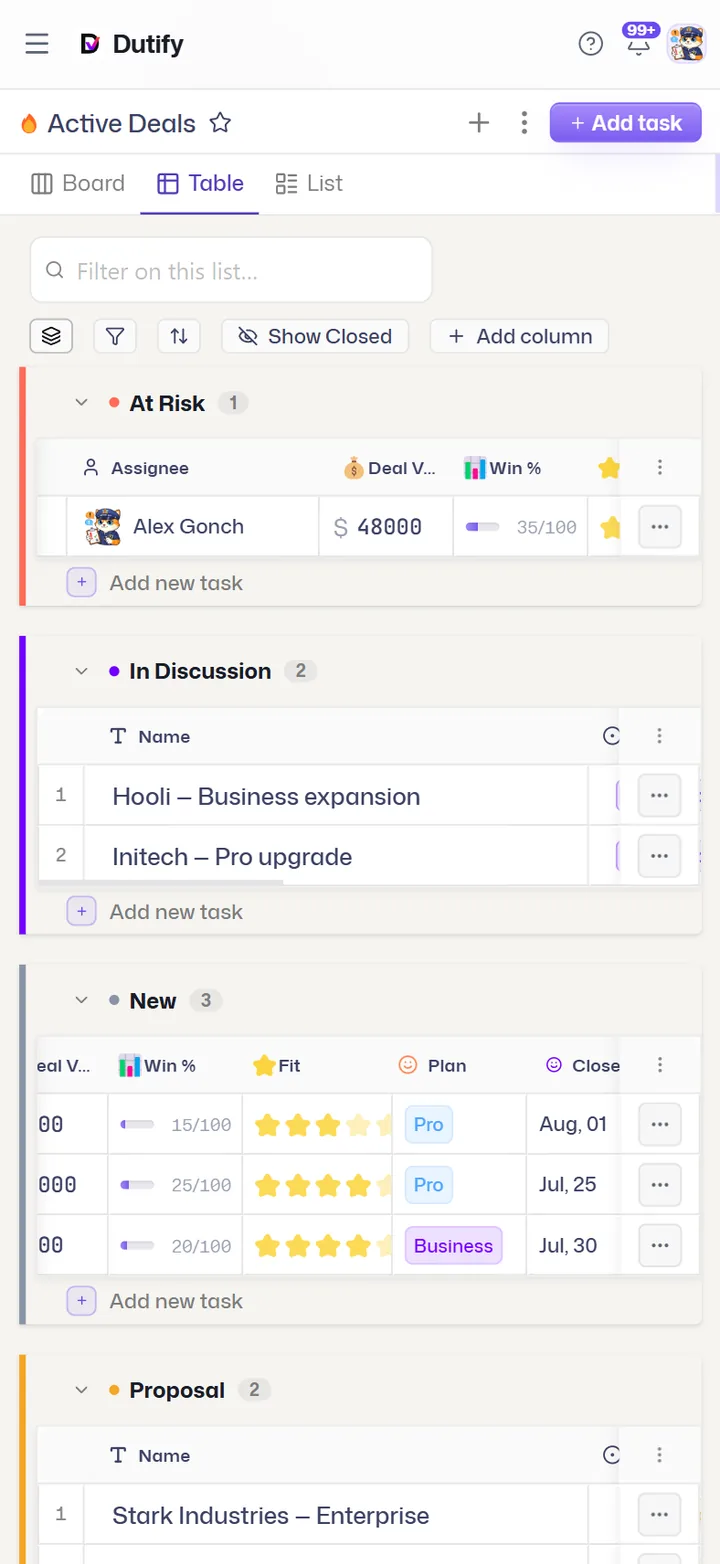
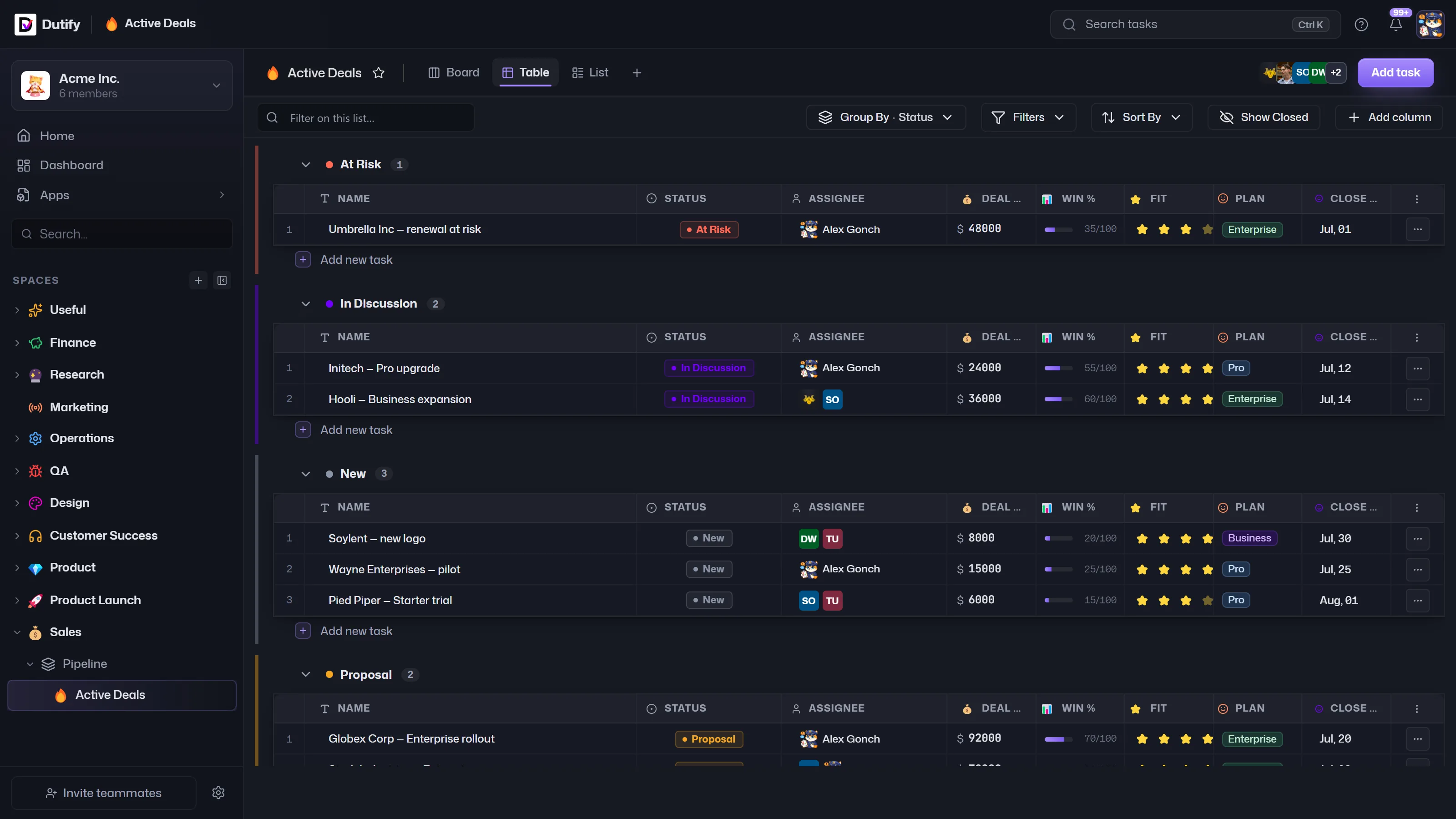
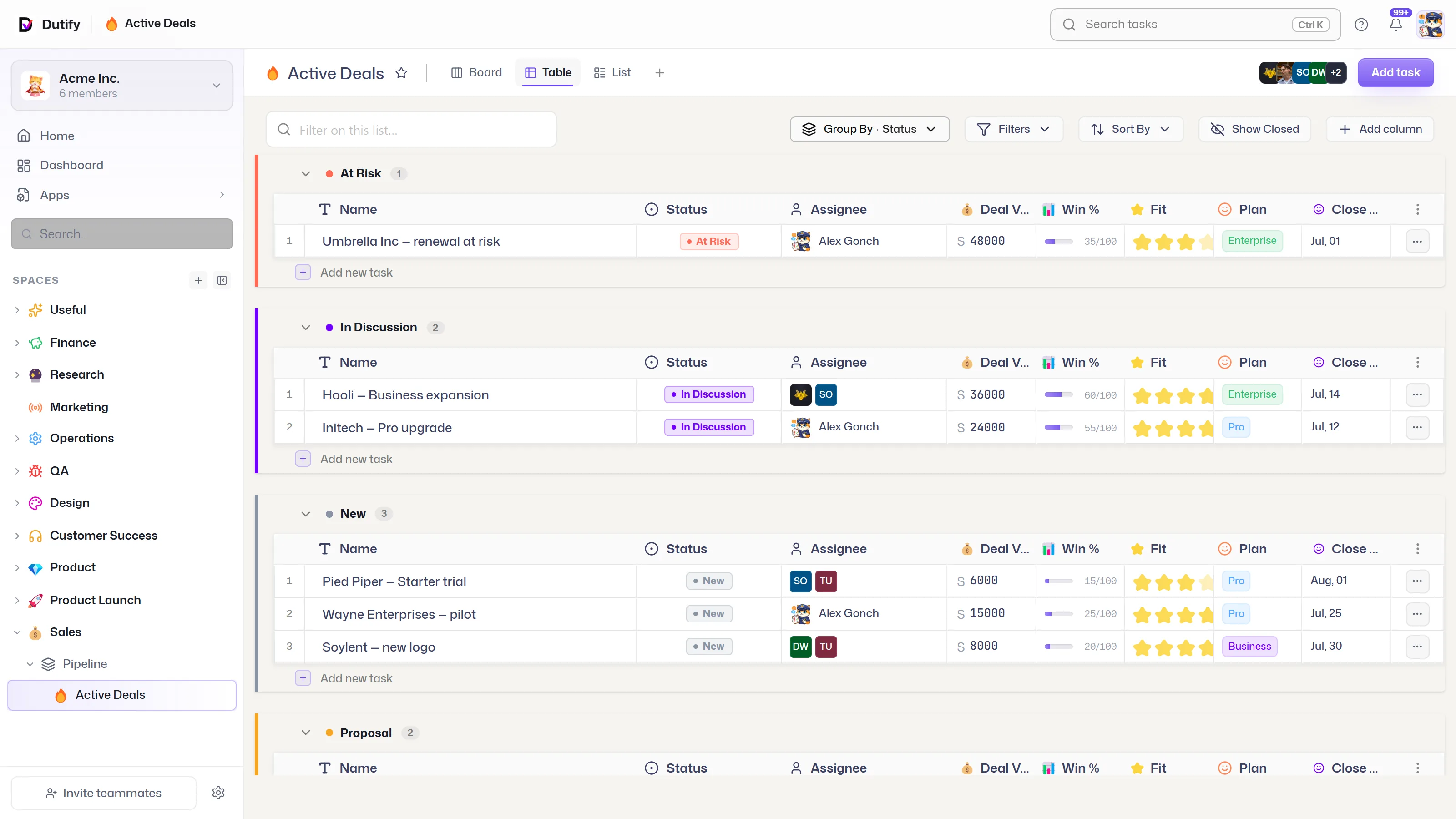
Manage customer requests, daily operations, or your next launch. Choose a workflow to explore the real product.
tasks docs feedback activity events agents
A SHARED PICTURE OF THE WORK Same work.
Same work.
Your point of view.
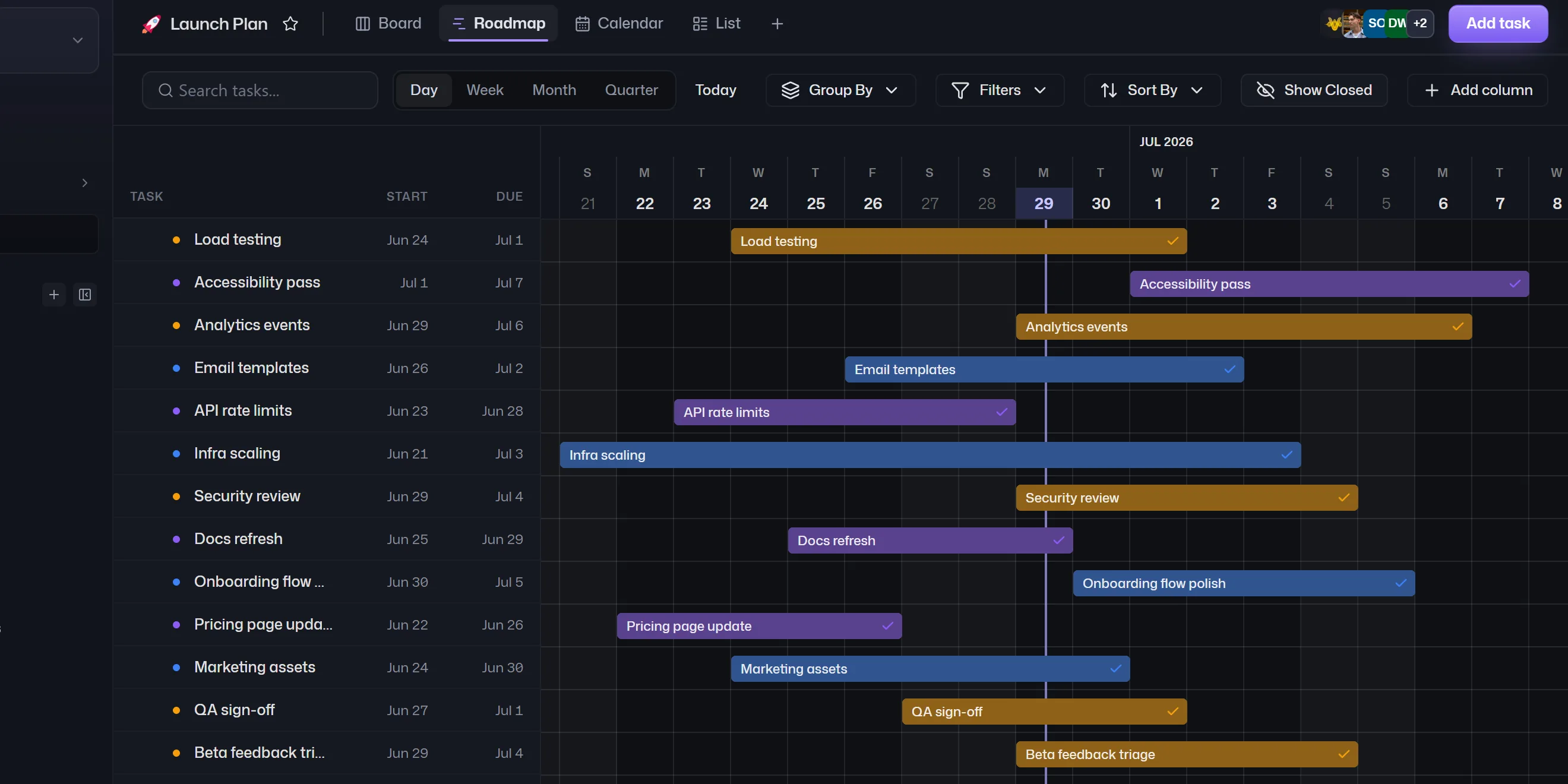
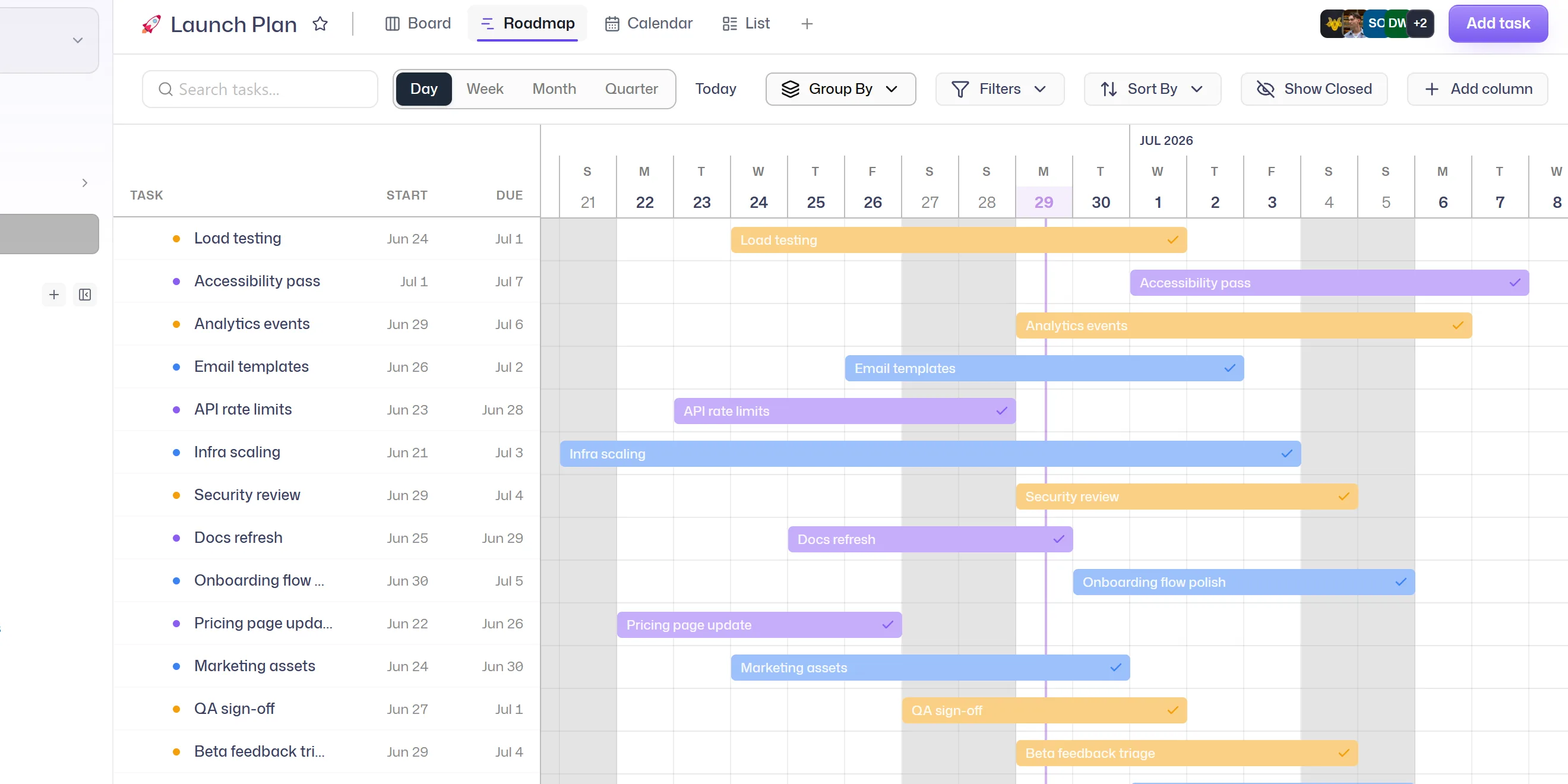
Plan on a board. Check dates on a calendar. Track the bigger picture in a dashboard. Everyone works with the same tasks, in the view that makes sense to them.
ListGrouped, scannable rows for fast triage.
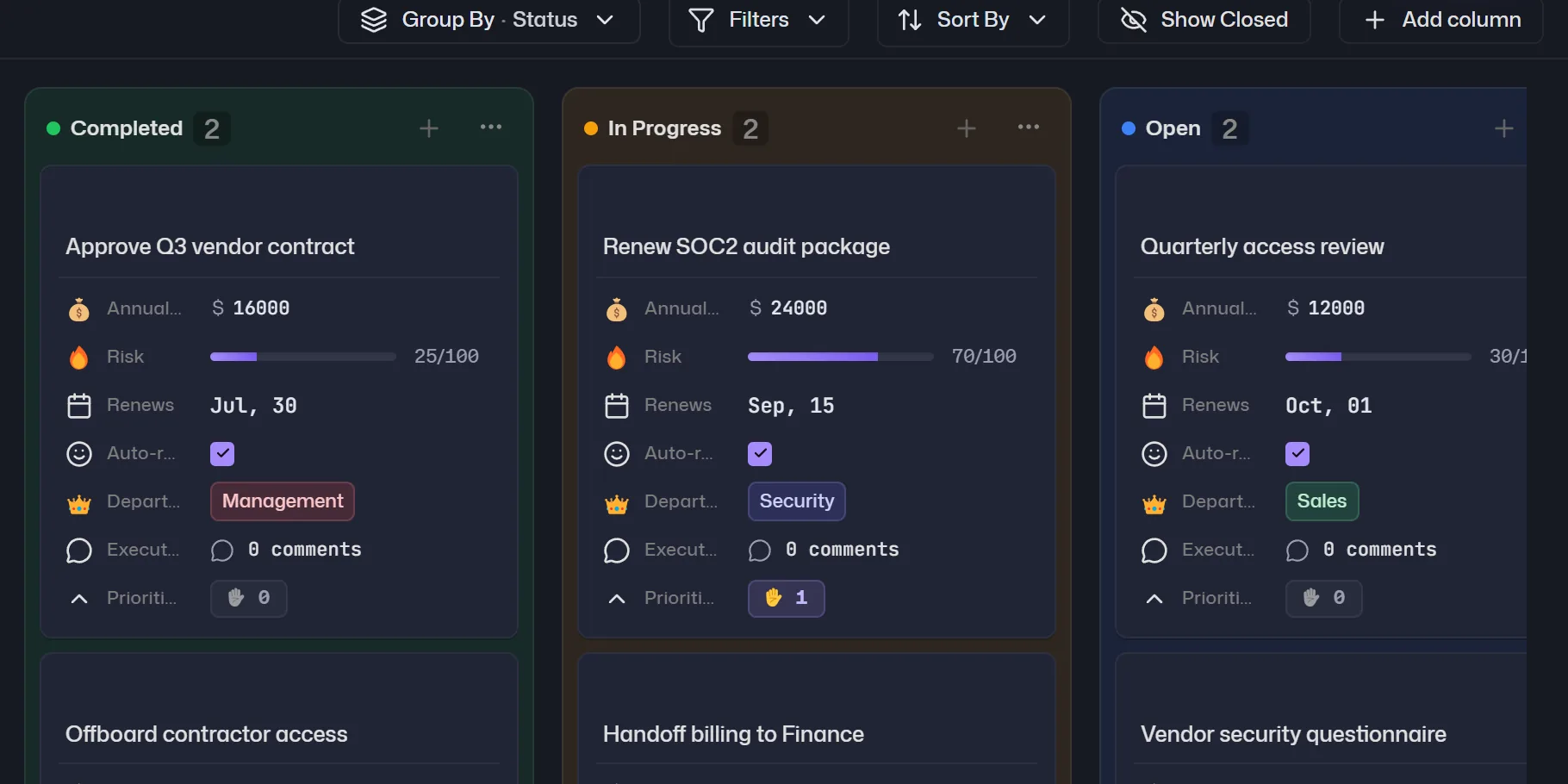
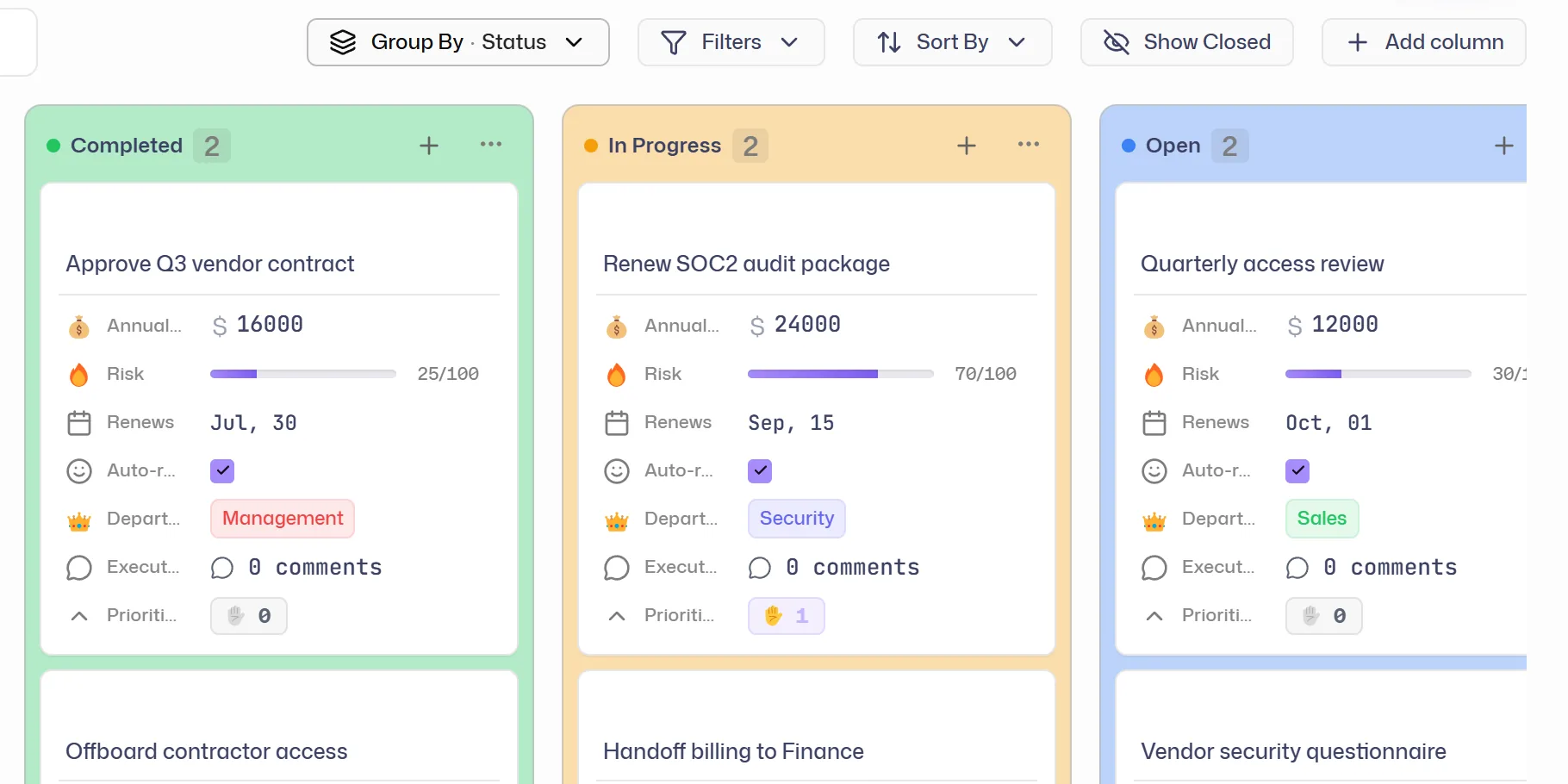
BoardKanban columns by status or stage.
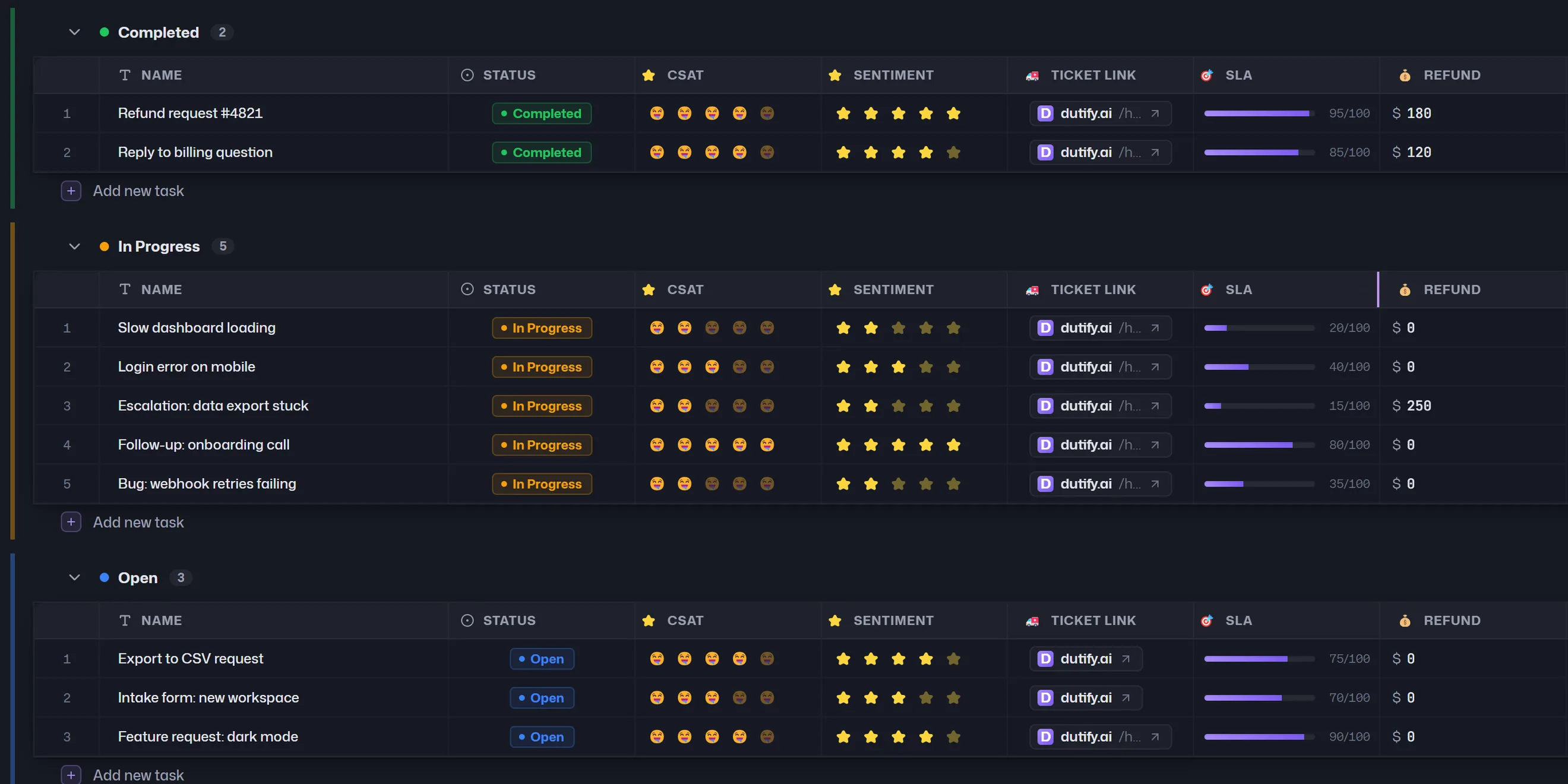
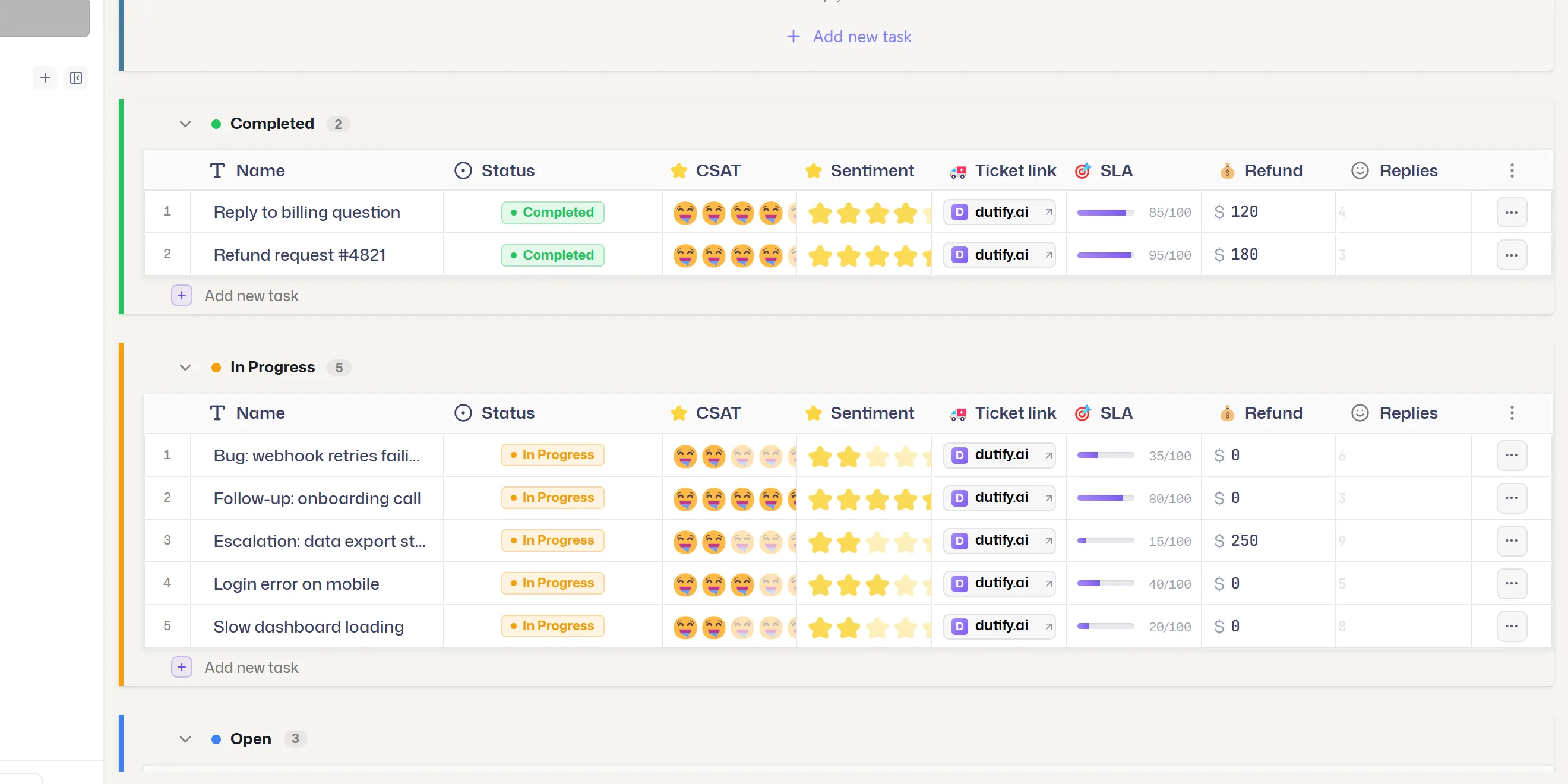
TableSpreadsheet-like editing with custom fields.
CalendarTasks placed on dates - due or any date field.
GanttTimelines and roadmaps across the quarter.
GalleryVisual cards for content and creative work.
DashboardCharts, workload, overdue work and rollups.
FormPublic intake that creates tasks automatically.
WhiteboardCollaborative canvas - sticky note to task.
MAKE IT YOURS The details that matter.
The details that matter.
In fields that fit.
Track budgets, customers, progress, and more with 23 field types. Use formulas to calculate values and rollups to bring related work together.
Text Text area Number Money Date Checkbox Dropdown Labels Rating Progress bar Formula Rollup People Relationship Task Location Phone Email Website Voting Multi-vote File Comment
KEEP WORK MOVING Less chasing.
Less chasing.
More progress.
Let routine work take care of itself. Assign tasks, change statuses, and notify teammates with rules you set.
Explore automations and more A simple handoff Example workflow
WHENStatus changes to Ready for review
THENAssign the reviewer
ANDNotify the team
Make routines repeat
Recurring tasks and due-date reminders keep regular work on track.
Plan the next sprint
Organize tasks into sprints, estimate work, and carry unfinished tasks forward.
See where to step in
Use dashboards to spot overdue work, workload, and changing priorities.
FOR YOUR AI TOOLS Your AI tools.
Your AI tools.
Up to date with your work.
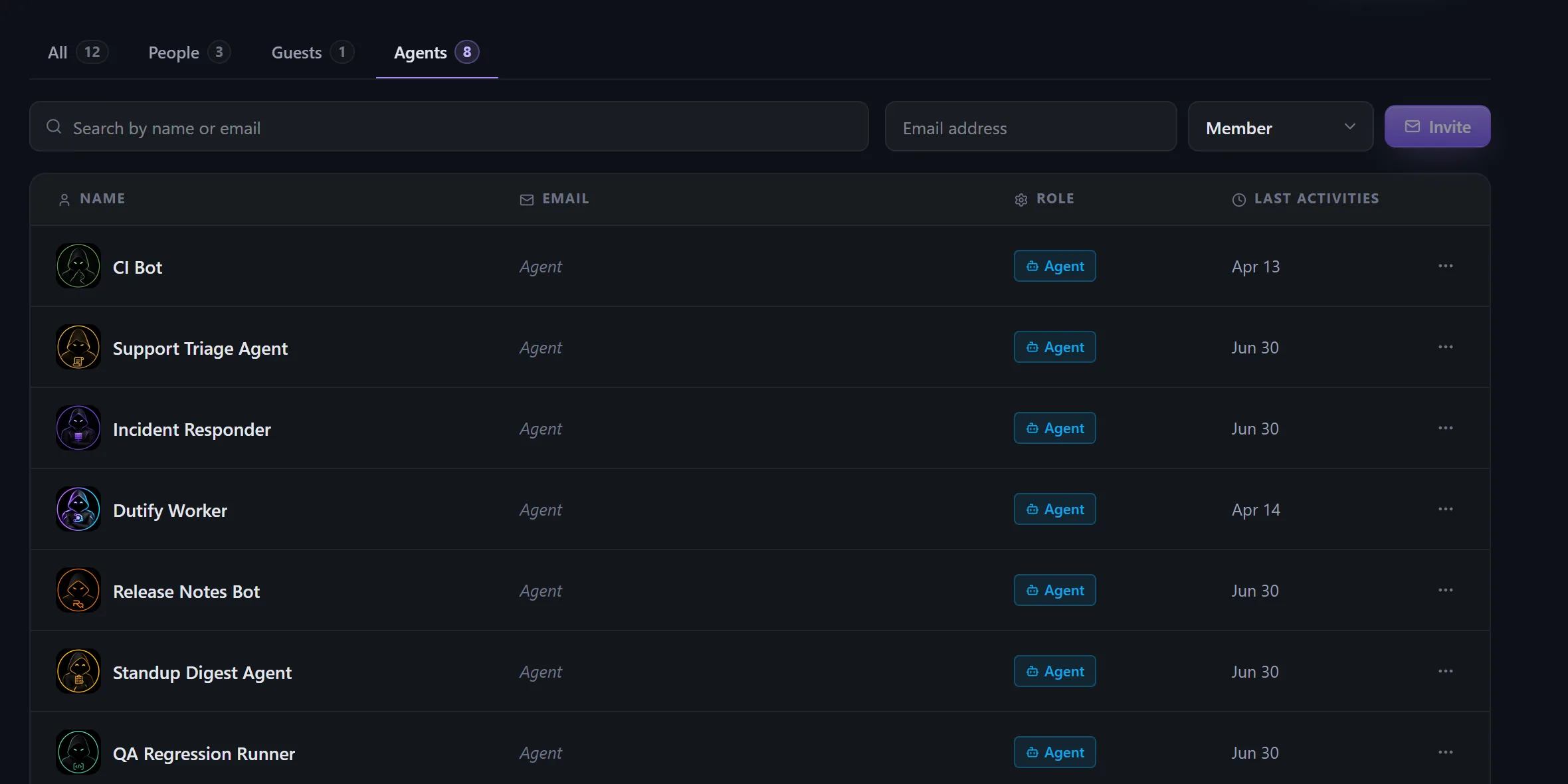
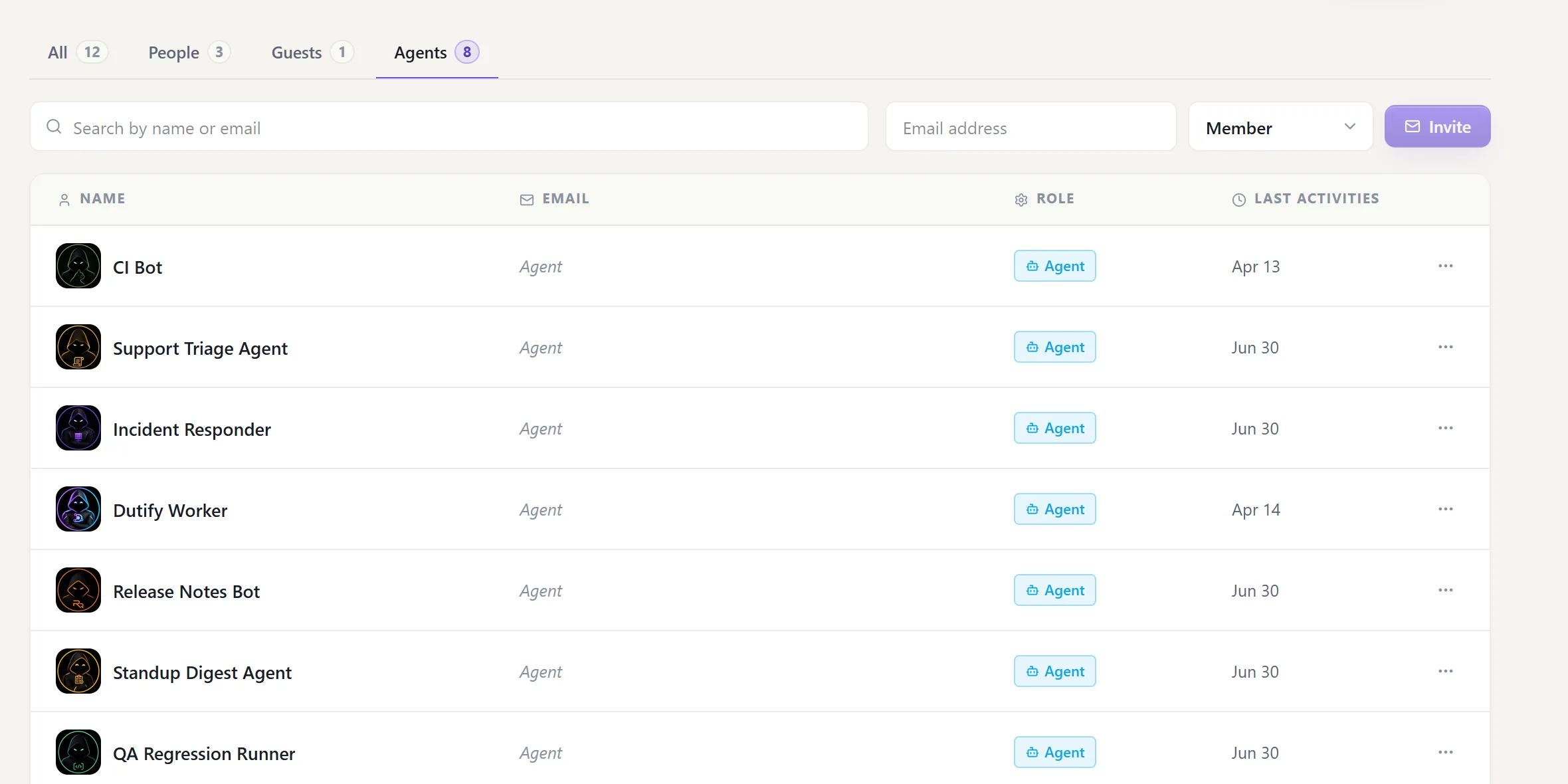
Connect Claude, Codex, or Cursor to find tasks, create a plan, and update your team's work. Give each agent its own scoped key and choose what it can access.
See how to connectAgent members don't use paid human seats.
API-key limits depend on your plan.
INCLUDED WITH YOUR WORKSPACE The work. The knowledge.
The work. The knowledge.
The people asking for it.
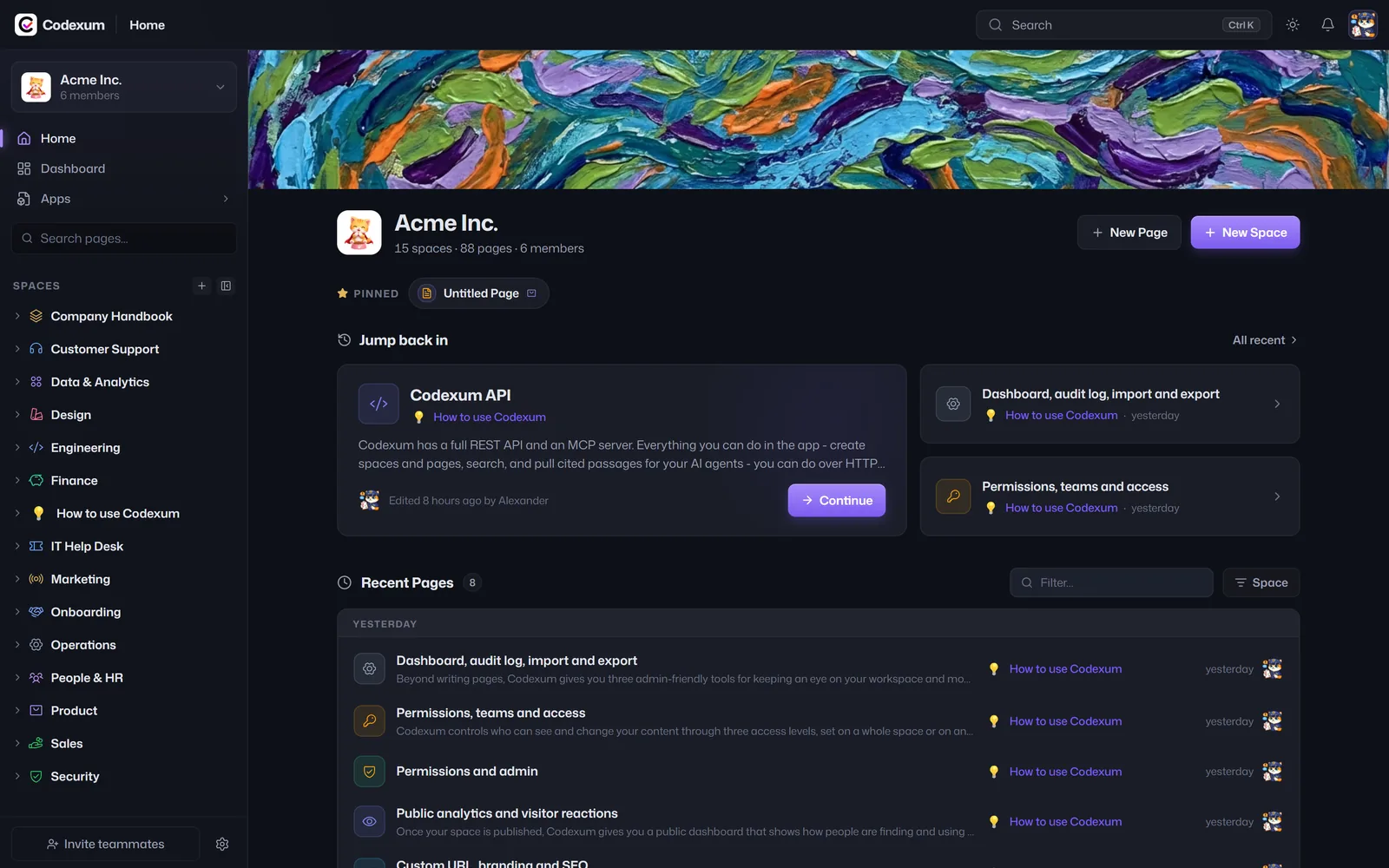
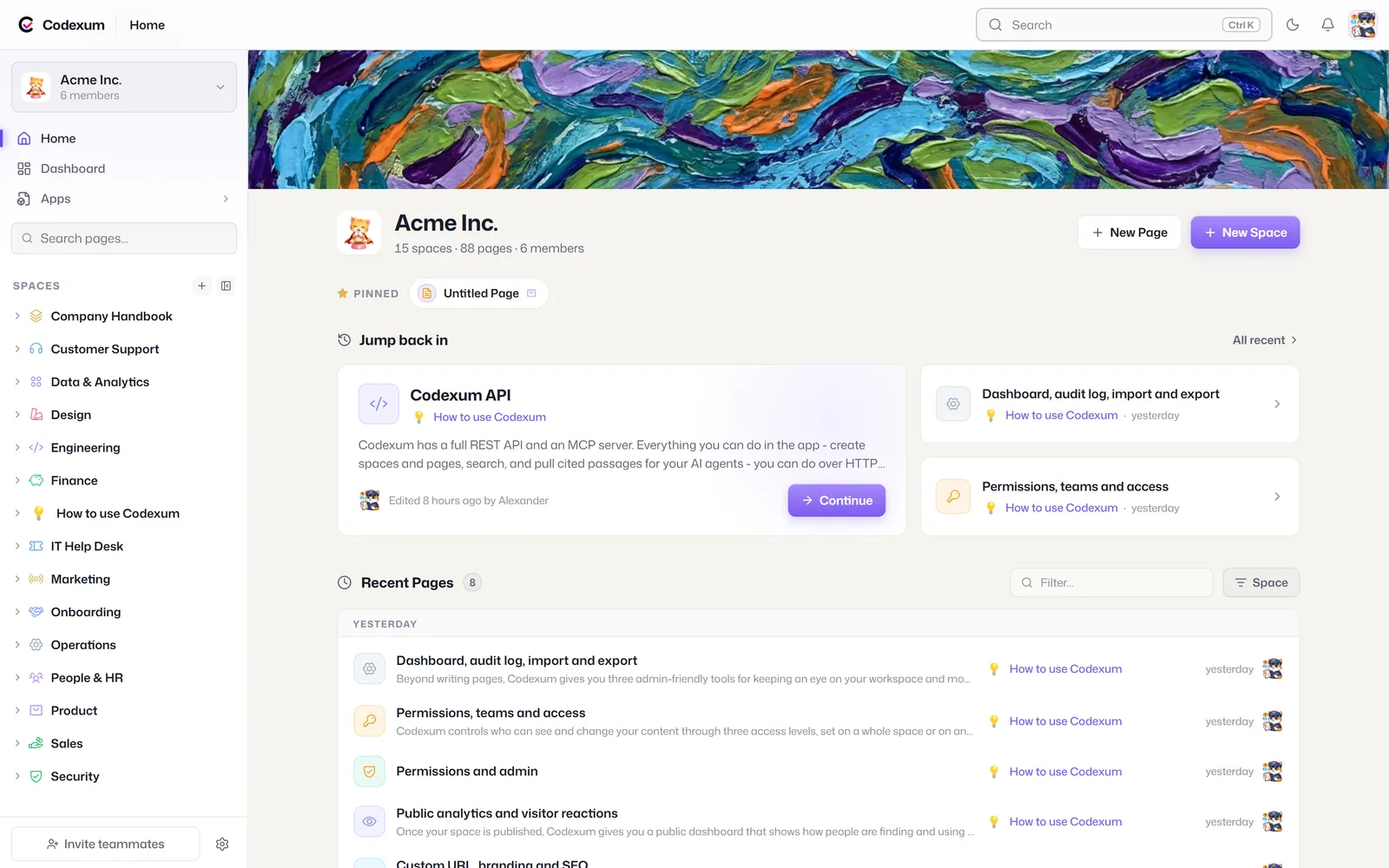
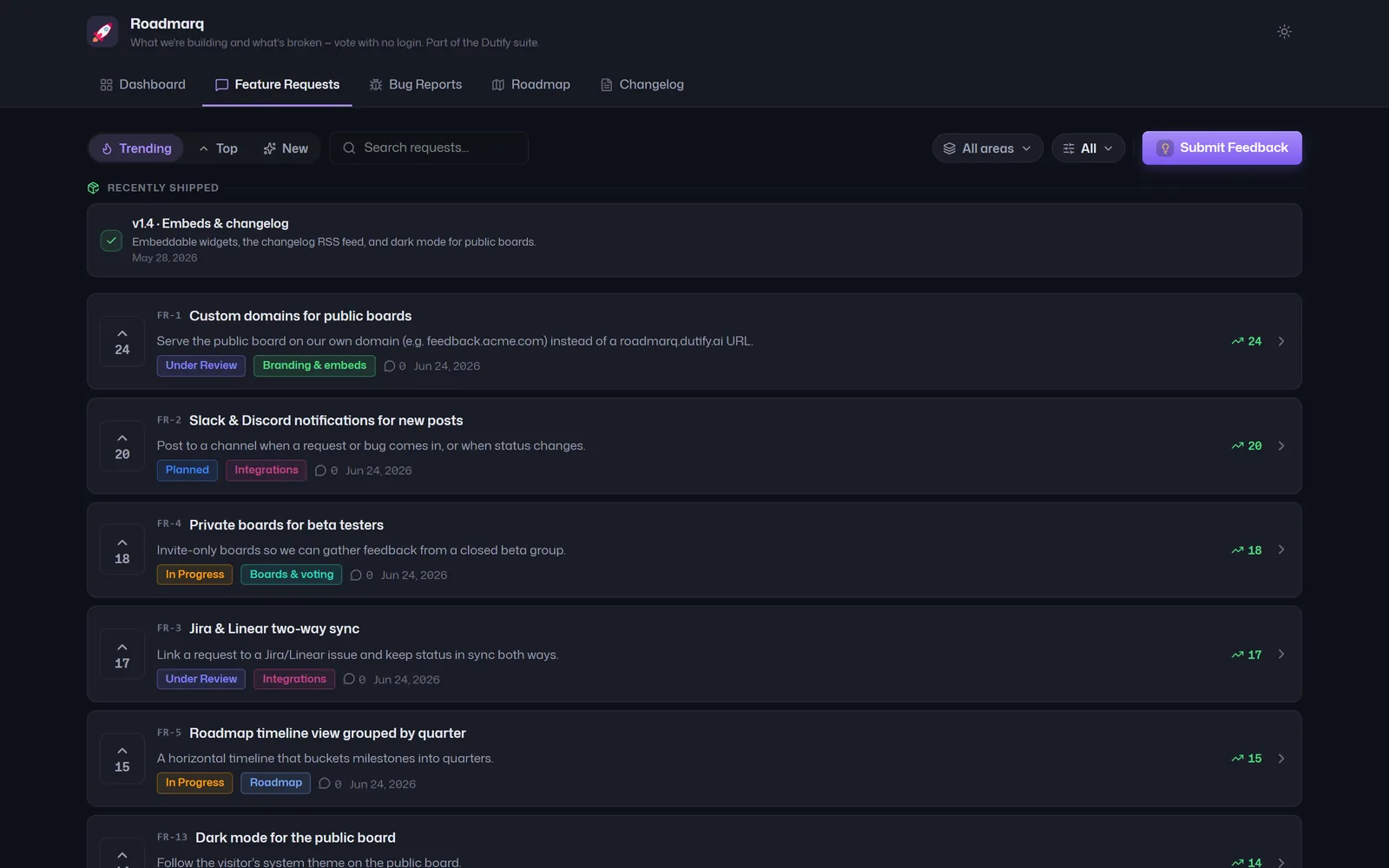
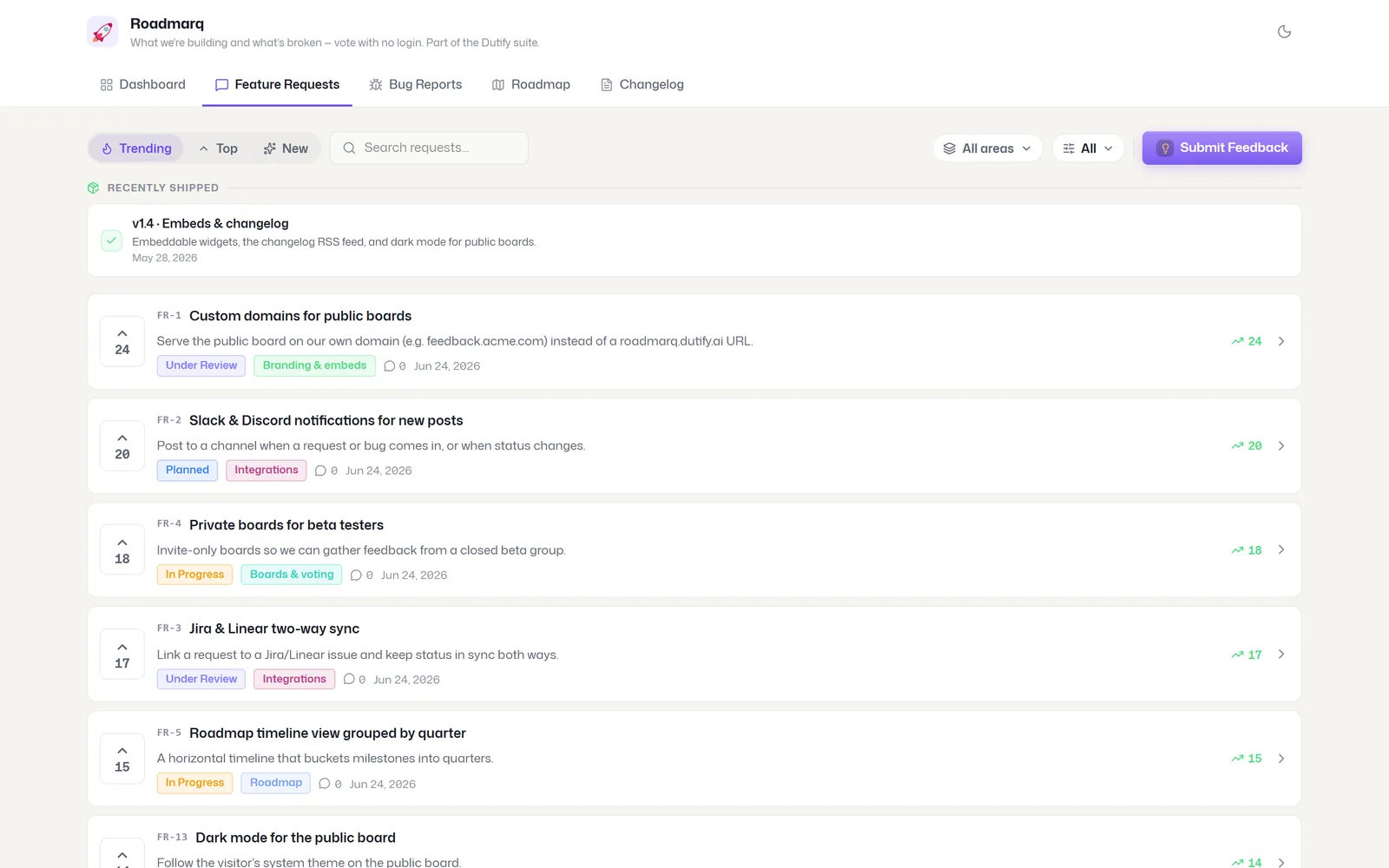
Write specs and team docs in Codexum. Collect feedback and share your roadmap in Roadmarq. Both are included with Dutify Cloud, in the same workspace and subscription.
Everything else Everything your team needs.
Everything your team needs.
Room to go further.
From the daily task list to custom workflows, explore what Dutify Cloud can do.
Why teams pick us
Agents get a free seat
Connect agents with scoped keys and track their actions, without using paid human seats.
Fields that fit your work
Custom task types and 23 field types, including formulas and rollups.
A view for every teammate
Choose from 9 view types. Each teammate can choose how they see the same work.
One key, whole suite
One subscription for Dutify Cloud, Codexum, and Roadmarq, with shared workspace access.
5-level hierarchy
Workspace → Space → Folder → List → Task, each a real entity with icon, color and privacy.
8 space templates
Spin up Software Dev, Marketing, Bug Tracking and more with statuses, fields and views ready.
Native sprints
Sprint groups, story points, task rollover, auto-start, and an approximate burndown.
Per-space task keys
Jira-style keys like DEV-123, unique per workspace - the names your agents drive by.
Recurring tasks
Daily, weekly or monthly - completing a task spawns its next occurrence automatically.
Due-date reminders
Timezone-aware email reminders before a task is due, sent to each assignee.
23 custom field types
Text, money, rating, progress, people, location, voting, formula, rollup and more.
Formulas + rollups
Compute over tasks and aggregate across related ones - to keep totals connected.
Online type migration
Retire or merge a task type and migrate every existing task in bulk, with no downtime.
Field-level privacy
Restrict a single sensitive field independently of who can see the task.
9 view types
List, Board, Table, Calendar, Gantt, Gallery, Dashboard, Form and Whiteboard - one source.
Per-user active views
Two teammates can view the same list completely differently. Nothing forks.
Nested AND/OR filters
Build filter groups over built-in and custom fields, across your tasks.
Inline-edit table
Edit cells in place, reorder and resize columns, drag to reorder rows.
Board bulk actions
Multi-select on the board to move, change type or delete in bulk, and track progress.
WHEN / IF / THEN engine
No-code rules: a trigger, nested conditions, and a chain of actions.
Audit + rollback
Every run is logged with per-action detail and is all-or-nothing reversible.
Loop protection
Runaway and automation-triggered loops are capped (chain limit 15).
Hierarchical scope
Apply a rule at space, folder or list level; it cascades down.
Real-time whiteboards
A shared canvas with live collaboration, follow mode, and PDF export.
Public task share
Share a single task with field-level redaction and optional expiry.
Intake forms → tasks
Public or internal forms with conditional logic that create tasks; submissions inbox.
Comments & @mentions
Threaded comments, @mentions with notifications, and emoji reactions.
Multi-channel notifications
In-app, email and browser web-push - tune each channel and category to taste.
Voting & polls
Turn any task into a poll - one vote per person, results roll up to a dashboard.
Server-computed dashboards
Status, priority, assignee, overdue, workload - computed at list/folder/space scope.
14 widget types
Charts, trends, distributions, voting results and a task-relationship graph.
Overdue tracker
See what slipped, by severity bucket and by owner.
Native time tracking
Log estimate vs. logged minutes with notes - and report on utilization.
Name-based Lite API
Reference space, assignee and status by name; address tasks by key (TASK-1242).
130+ signed webhooks
Signed events with retries, delivery logs, testing, and replay.
MCP-ready
Point Claude or Cursor at your workspace with a scoped key; the MCP server is bundled.
ClickUp & Jira import
Migrate via the API (OAuth); CSV import has a full in-app UI.
Permissions to one field
Two-layer model: ~22 workspace permissions and 4 entity access tiers, down to a field.
Custom roles & guests
Bundle any subset of permissions; invite view-only guests.
Google / Microsoft SSO
Sign in with Google or Microsoft and move between suite products.
GDPR export & deletion
Self-serve data export and account deletion.
Private spaces & lists
Mark a space, folder or list private - walled off from the rest of the workspace.
Self-service billing
Self-serve checkout and billing portal with quota enforcement.
Branded PDF invoices
Receipts and invoices generated and delivered, with signed download links.
14-day Pro trial
Try Pro for 14 days with no card required.
One pool, whole suite
One subscription for Dutify Cloud, Codexum, and Roadmarq, with shared workspace access.
BRING YOUR EXISTING WORKBring your projects.
Talk about your move Bring your projects.
Keep your momentum.
Import a CSV in the app. Moving from ClickUp or Jira? Migration tools are available through the API, with help for larger moves.
PRICINGStart with your team.
Start with your team.
Grow at your pace.
Codexum and Roadmarq are included.
Projects, docs, and feedback in one workspace and subscription.
Free
A home for your first projects.
$0
free forever
- Up to 5 members
- Unlimited tasks & all views
- 5 custom fields per space
- 100 automations per month
- 50 Codexum pages · 1 Roadmarq board
ROOM TO GROW
Pro
More room for a growing team.
$4.80
per user / month · billed annually
- Everything in Free, plus:
- Unlimited custom fields
- 1,000 automations per month
- 10 dashboards
- Unlimited Codexum pages · 3 Roadmarq boards
Business
More control as work grows.
$9.60
per user / month · billed annually
- Everything in Pro, plus:
- Custom roles & permissions
- 10,000 automations per month
- 90-day audit history
- Unlimited Roadmarq boards
More people. More possibilities.
Talk to us about Enterprise plans, onboarding, and your team's requirements.
GOOD QUESTIONS. CLEAR ANSWERS.Before your
Before your
first project.
What can my team do on the free plan?
Start with up to 5 members, unlimited tasks, and all view types, including Gantt. The free plan includes 5 custom fields per space, 50 Codexum pages, and one Roadmarq board.
Do we need AI tools to use Dutify Cloud?
No. Your team can manage tasks, views, custom fields, automations, and sprints entirely in the app. Connect your AI tools whenever they become useful to your workflow.
How do my AI tools connect?
Connect an MCP-compatible tool such as Claude, Codex, or Cursor with a scoped API key. Your tool can find and update work within the access you grant. A REST API and webhooks are also available.
Do AI agents use paid seats?
No. Agent members do not consume paid human seats. API-key limits depend on your plan, and your AI provider may charge separately for its service.
Are Codexum and Roadmarq included?
Yes. Your subscription includes Dutify Cloud for project management, Codexum for docs and knowledge, and Roadmarq for feedback and roadmaps. They share the same workspace and sign-in. Product limits depend on your plan.
Can I move work from another tool?
You can import CSV files in the app. ClickUp and Jira migration tools are available through the API. For a larger move, contact us to discuss the fields, comments, attachments, and history you need to bring.
Can clients and contractors see our work?
Plans include guest viewers for external access. Full members are for people who actively manage work. You can also keep spaces, folders, and lists private.
Does Dutify include an AI assistant?
Dutify Cloud connects to the AI tools you bring. Dutify Hub is a separate product for meeting notes, an AI coworker, and knowledge assistance; it has its own plans.
Start with one project.
Make it work for you.
Create a workspace, invite your team, and put your next steps in one place.